
Movies
Bollywood blockbusters, Hollywood hits, South Indian cinema and Korean thrillers, from new releases to classics.
10,000+ titlesiStreamFlare brings HD & 4K movies, binge-worthy web series, 500+ live TV channels, live cricket and anime to your phone, your TV and your PC. Free, fast and no sign-up.
100% free · No account needed · Works on Fire TV Stick too

Everything you want to watch, in one place
Movies, series, live sports and TV from every major platform, organised so you spend less time searching and more time watching.
Bollywood blockbusters, Hollywood hits, South Indian cinema and Korean thrillers, from new releases to classics.
10,000+ titlesThe latest seasons from every OTT platform, with new episodes added as soon as they drop.
All platformsIPL, World Cup, Premier League, UFC and more, streamed live with minimal delay.
Real-time500+ channels across news, entertainment, music and kids. All the channels of cable, without the cable.
500+ channelsNaruto, One Piece, Demon Slayer, Dragon Ball and the cartoon classics, in both sub and dub.
Sub & DubHindi, English, Tamil, Telugu, Malayalam, Kannada, Bengali, Marathi, Punjabi and more.
Regional firstFast, lightweight and private. The things that make a streaming app feel effortless.
Stream in crisp 4K when your connection allows, or drop to 360p on mobile data without leaving the player. Instant switching, zero fuss.
Type a letter and results appear. Find any title, channel or match in seconds.
Encrypted connections and no personal data collection. What you watch stays yours.
A 10-foot interface designed for D-pad navigation on Android TV and Fire TV Stick.
Under 75 MB, opens in under a second and never slows down your device.
One account-free experience across every screen in your home.
Android 7.0 and above
Google TV & Smart TVs
All Fire OS versions
Windows 10 & 11
A native Windows app built for keyboard and mouse. Browse Netflix, Prime, JioHotstar, Crunchyroll and 500+ live channels on a screen that does them justice.
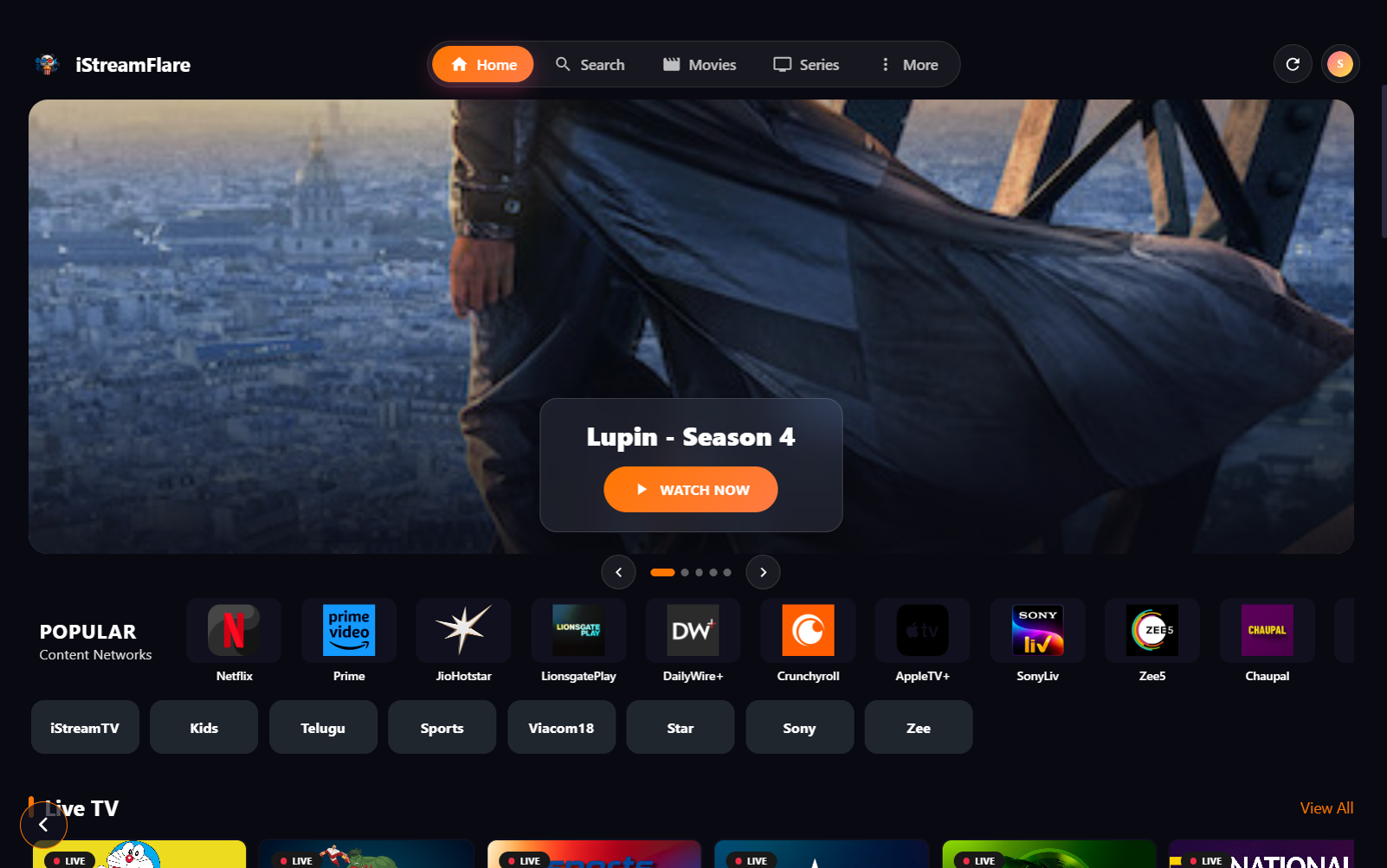
No account, no payment details, no waiting.
Grab the APK for Android / Android TV or the .exe installer for Windows from the buttons below.
On Android, allow "Install from unknown sources" and open the file. On Windows, run the installer.
Open iStreamFlare, pick a movie, series or live channel and start watching instantly.
"Finally one app that works on my phone and my Fire Stick. The live cricket during IPL was flawless."
"The Windows app is a game changer. I watch web series on my laptop at night without the phone screen."
"Clean UI, fast search, and 4K actually looks like 4K on my TV. Haven't opened another app since."
Version 25.0.0 · Free forever · Android 7.0+, Android TV, Fire TV Stick and Windows 10/11.
Android download not starting? Try the mirror server.
Yes. iStreamFlare is 100% free to download and use on Android phones, Android TV, Fire TV Stick and Windows PC. There are no subscription fees and no sign-up required.
Download the APK, enable "Install from unknown sources" in your device settings, then open the APK to install. The same APK works on Android phones, tablets, Android TV and Fire TV Stick.
Yes. Download the Windows installer (.exe) from the download section, run it and follow the setup wizard. It supports Windows 10 and Windows 11.
Android 7.0 or higher phones and tablets, Android TV, Google TV, Amazon Fire TV Stick, most Android-based Smart TVs, and Windows 10/11 PCs and laptops.
Buffering is usually caused by a slow connection or heavy traffic. Switch to a lower quality from the player settings, check your internet speed, or try again after a few minutes.
Yes. Send your request on Telegram @iStreamFlare or email [email protected] and we will do our best to add it.